

Control room, hint policy and audio video installations. Game master software.
One of the hardest tasks of Escape Room business is setting up a control room.
Control room is needed to:
- supervise
- communicate
- play music
- activate the timer
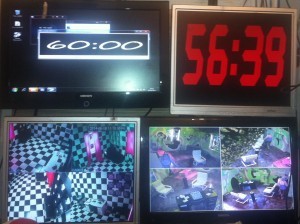
There are several different methods to deal with this and we will go step by step.
Best setup for each game:
- 1 pc
- monitor for pc
- microphone to talk to players
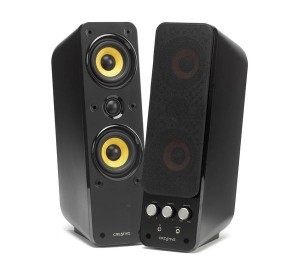
- speakers to hear the players
- dvr 4 channels, 4 cameras
- monitor for dvr
- speaker for dvr to hear the players
- hint light
- monitor in room for timer or hints
VIDEO:
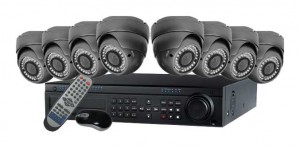
You want to be able to see players at all times in all areas. It is not necessary to keep a recording of the games.
Best setup: 4 channel dvr (no hard drive) connected to a monitor with 4 night vision wide angle cameras per game.
4 channels means that the dvr allows you to use 4 cameras and see them on a split screen on a monitor. You can also have an 8 channel one and see on one screen more games at once.
You want to see what players are doing but it is not necessary to zoom in and see details. The idea of supervision is to know at what point of the games players are at in order to deliver the relevant hint for the exact step of the game they are at.
MONITORS:
Any with hdmi
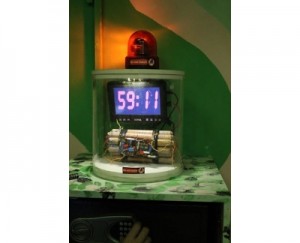
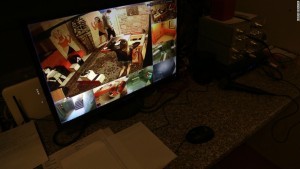
1 will be for the dvr, 1 for the timer in the room, 1 for the pc
AUDIO:
Soundtrack is important but should be in the background to allow people to communicate. Quality of sound is not important unless you have a very specific theme.
You need a good pc speaker set in the game room connected to the pc and another set for the dvr.
Soundtrack is played from the pc
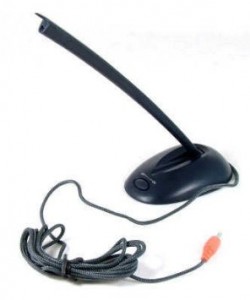
Microphone in control room connected to the pc with an on/off button:
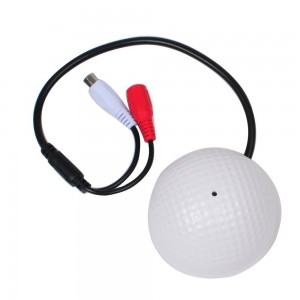
Game room microphone connected to the cameras:
PC:
Anything: can be very basic, just needs to be used for the timer and sound for this kind of control room. Pc will be in split screen control room/game room connected by hdmi so at the beginning of the game sound will play and timer started.
There is an amazing game master software made by EscapeBooker that will be released soon.
HINTS:

Hints can be delivered to the screen in the room by opening the pictures in the pc unless you use the software from EscapeBooker.
In the game room there is a hint button on the wall, this is connected to a 10 minute timer and 2 lights, one in control room and one above the button. Players who need a hint press the button and until the light stays on they cannot ask for more hints. This limits the amount of help people can ask for and makes the game-play timing better and the Game Master job easier as in each game they can only ask for 5 hints.
Light and button can be disguised and integrated in the theme: a pirate theme can have the light in a skull and instead of a button players need to pull on a rope.
Another way to deliver hints after the button has been pressed is through a post box on the door or wall:

you need a hole in the wall or door so hint cards can be delivered. There will be only pictures so that people see what they need to logically connect to solve the riddle. This is a good method for old themes as hint cards can be black and white in a 30`s bank robbery theme or have a background of a treasure map in a pirate theme.
GAME MASTER SOFTWARE:
This will be launched soon by EscapeBooker.com
It allows to write to players in real time, upload pictures and communicate with audio. You can also save all hints and use keyboard shortcuts to see them in the room.
DOOR LOCKS:
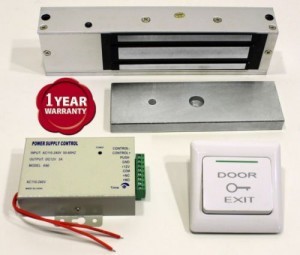
We always advise this kind of system: safe and approved by fire code as it opens in case of electricity loss, has a panic button inside and can be connected to any kind of Electronic game.
GAME MASTER:
1 game master can act as reception, supervise 2 games at once and rearrange the rooms.
If you have 3 or 4 games you need a second person.
We recommend half an hour between games to rearrange, fix issues, brief/debrief teams.
CONTROL ROOM IN RECEPTION?
Advantages: saving space, maximizing use of manpower.
Disadvantages: players in reception can hear (unless there are headsets for each game)
Please note: in most countries if you keep video/audio records you need visible signs and in some cases players will have to sign a waiver. Check local laws and regulations.